Most people are watching in about fifteen minutes. Press Home, open Apps, install a compatible IPTV player, then add your TellyVolt IPTV UK login: either typed on the telly, or through the app’s MAC address and device key on your phone. Let the channels and programme guide load, play a channel you know is on, and you’re done.
A player app is the software that shows the channels, the films and the guide. A separate app maker builds it, not us, and it sits empty until you add a login. Your TellyVolt login is what fills it with telly. Samsung TVs run a system called Tizen, which only installs apps from Samsung’s own store, so everything below happens in there.
Before you start
Every Samsung smart TV since 2015 runs Tizen, but the age of the set still decides how much choice you get and how quickly the guide loads.
| Model year or software | Suitability | Notes |
|---|---|---|
| 2020 and newer | Very good | Quickest menus, widest choice of players, and Device Care tools for clearing app storage |
| 2017 to 2019 | Good | Most current players still list these sets. Menus are slower and the first guide load takes longer. |
| 2015 to 2016 | Mixed | Early Tizen. Some players have dropped support, so check the store before you order. |
| Before 2015 (the older Smart Hub system) | Poor | Not Tizen. Current players rarely support it. A stick in a spare HDMI socket is the better route. |
| Any range (Crystal UHD, QLED, Neo QLED, OLED, The Frame) | Same store | The range changes picture quality and speed, not which apps you can install |
To find your model and software, press Home and go to Settings, then All Settings (on newer sets), then Support, then About This TV. UK model codes usually start with QE or UE, followed by the screen size. The same code is on the sticker on the back of the telly.
You’ll also need your login, which we send on WhatsApp once payment clears. Tell us which player you plan to use and we’ll send the matching format. Keep your phone handy for the activation step.
Get the network right first
Pick 5 GHz if the router is in the same room or the next one. 2.4 GHz reaches further through walls but slows down when the house is busy.
Better still, use a cable. Almost every Samsung smart TV has a network socket on the back, labelled LAN. On models with a One Connect box, the socket is on the box rather than the screen. On many models the socket runs at 100 Mbps, which is still four times what 4K needs. Router in another room? Powerline adapters carry the connection through your mains wiring. See Ethernet vs Wi-Fi for streaming telly.
To check the connection, go to Settings, then General (or Connection on newer sets), then Network, then Network Status. For a speed figure, run any speed test website in the built-in Internet browser. Measure on the TV, not your phone.
Step by step
Step 1: Update the TV and sign in
- Update the software. Go to Settings, Support, Software Update, then Update Now.
- Sign in to Samsung. Most models ask for a Samsung account before they’ll download apps. Sign in under Settings, General, System Manager, Samsung Account, or when the store prompts you.
- Check the clock. Under System Manager, open Time, then Clock, and set it to automatic. A wrong clock throws the programme guide out.
You should now see “Your TV is up to date” and your account name in the settings. If the update fails, switch the TV off at the wall for a minute and try again.
Step 2: Install a player app
- Open the store. Press Home and choose Apps.
- Search. Select the magnifying glass and type IPTV player, or the name of the player you’ve chosen.
- Read the listing. Pick a player that takes an Xtream login (server, username and password) or an M3U link. The description usually says which.
- Install it. Select Install, wait, then select Open.
You should now see the player’s welcome screen. It will show either a login form or a MAC address and device key. If the player you wanted isn’t listed, your set’s model year may not be supported. Try another player from the table below, or check our round-up of the best IPTV player apps.
Step 3: Type your login on the TV
- Choose the login type. Select Xtream Codes, Login with username or similar. Wording depends on the app.
- Name the playlist. Anything works. “Lounge” is fine.
- Type the details. Enter the server, username and password exactly as we sent them. Capitals matter, and so does everything after the colon in the server address.
- Save. Select Add, Connect or Log in.
You should now see a loading bar while the app fetches your channels. If it says the login is wrong, re-check each box. A USB keyboard works on most Samsung TVs and speeds this up. If your player shows a MAC address instead of a form, skip to step 4.
Step 4: Or activate with the MAC address and device key
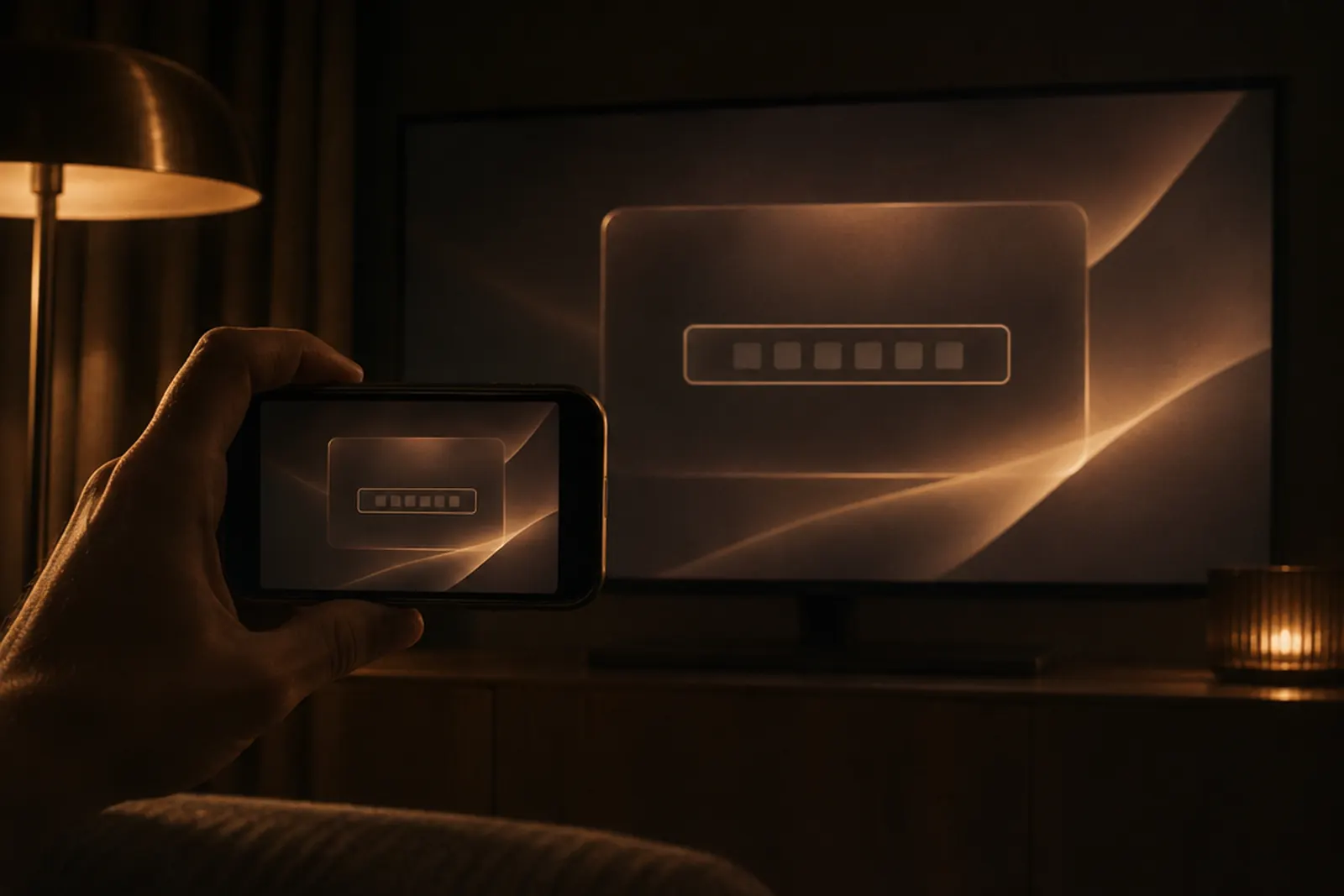
- Photograph the screen. Take a photo of the MAC address and device key the app shows. It saves misreading a 0 for an O.
- Open the app maker’s page. On your phone or laptop, go to the web address shown in the app itself, and only that one.
- Enter the codes. Type the MAC address and device key into the matching boxes.
- Add your login. Paste in your M3U link, or the Xtream server, username and password, then save.
- Restart the app. Close it fully with the Back button and open it again.
You should now see your playlist name on the app’s home screen. If nothing appears, check the MAC address on the website matches the TV exactly. This MAC address belongs to the app, not the Portal (MAC) login used on MAG boxes, so you don’t need to send it to us. Our guides to IPTV MAC addresses and player app activation go further.
Step 5: Load the channels and the guide
- Give it a minute. The first load pulls in the channels, films, series and programme guide.
- Open Live TV. Pick a category so you’re not scrolling through the whole list.
- Play a channel you know is on. If it plays, you’re sorted.
- Fill the guide. If programme times are missing, find Update EPG or Refresh in the app’s settings and run it once.
You should now see a channel playing and the guide showing what’s on now and next. If the channels play but the guide stays blank, our fix for an EPG that’s not loading walks you through it.
Apps and quick steps
Apps that work
| App | Cost | Where to get it |
|---|---|---|
| XOTT | See the store listing | App store on the TV |
| IBO Player Pro | Free trial, then paid | App store on the TV |
| Hot Player | Free trial, then paid | App store on the TV |
| Bob Player | Paid | App store on the TV |
- Samsung TVs only install apps from Samsung's own store. No codes, no sideloading.
- App lists vary by model year, so check what your TV's store shows.
- Activation for IBO Player Pro, Hot Player and Bob Player is paid to the app maker, not to us, after any trial.
- Older sets from before 2015 rarely get current players. A stick in a spare HDMI socket is the easy fix.
- Login error? It is usually https:// instead of http:// in the server URL, or a stray space from pasting.
Steps
- Press Home > Apps > search for the player you want > install it.
- Open the app. For IBO Player Pro, Hot Player or Bob Player, note the MAC address and device key on screen.
- On your phone, open the website the app shows and enter the MAC and device key.
- Add your M3U link and save.
- For XOTT or any app with an Xtream option, type your username, password and server URL on the TV.
- Restart the app. Your channels and guide load.
App-by-app setup
IBO Player ProFree trial, then a one-off activation paid to the app maker.
- Open IBO Player Pro and note the MAC address and device key on screen.
- On your phone, open the IBO Player Pro playlist page and sign in with that MAC and device key.
- Add a playlist: paste your M3U link and save.
- When the trial ends, activate on the IBO Player Pro activation page.
- Restart the app on the TV.
IBO Player Pro playlists (opens in a new tab) IBO Player Pro activation (opens in a new tab)
Hot PlayerFree trial, then a one-off activation paid to the app maker.
- Open Hot Player and note the MAC address and code on screen.
- On your phone, open the Hot Player upload page and enter that MAC and code.
- Paste your M3U link and save.
- When the trial ends, activate on the Hot Player activation page.
- Restart the app on the TV.
Hot Player upload (opens in a new tab) Hot Player activation (opens in a new tab)
Bob PlayerA paid app. The activation fee goes to the app maker, not to us.
- Install Bob Player from your device store.
- Open it and note the MAC address and key on screen.
- On your phone, sign in on the Bob Player website with that MAC and key.
- Add your M3U link and save, then restart the app.
Which player app to choose
The Samsung store changes, and not every player supports every model year. These are the names you’ll most likely see. We don’t make any of them, and any fee goes to the app maker.
| Player | Strength | Weakness | Best for |
|---|---|---|---|
| IBO Player | Clear MAC and device key activation, takes Xtream and M3U | Free trial, then a one-off fee to the app maker | People who’d rather set up on their phone |
| Hot Player | Simple layout and quick channel switching | Check the app maker’s site for fees and supported years | Anyone who wants the telly to feel like normal telly |
| IPTV Smarters Pro | Familiar layout with a typed Xtream login | Not listed for every Samsung model or year | People who already use it on another device |
| SET IPTV or Smart IPTV | Long-standing TV players with playlist upload on a web page | Mostly M3U based, so the guide can be plainer | Older Tizen sets where newer players aren’t listed |
| TiviMate | One of the best programme guides around | Not on Samsung: it runs on Android TV and Google TV only | Adding a stick later if you want it |
Settings to change on day one
Picture
Go to Settings, Picture, Expert Settings, then Picture Clarity Settings (called Auto Motion Plus on older sets). Set it to Off, or choose Custom with blur and judder reduction low. Heavy smoothing can make a football leave a trail. Use Filmmaker Mode for films.
Buffer
Most players have a buffer or network cache setting under player or playback settings. If live channels stutter now and then, raise it one step. You’ll sit a second or two behind live, but the picture holds steadier.
Guide refresh
Set the app to refresh the guide once a day, or on start-up if it offers that. Refreshing every few minutes slows older sets down for no real gain.
Parental lock
Most players can hide adult categories behind a PIN in their own settings. On many Samsung models you can also lock the whole app: in Apps, open the settings cog, highlight the player and choose Lock.
If something goes wrong
- If the login fails: it’s nearly always a typo. Check capitals, a stray space at the end and the full server address. Our IPTV login not working guide covers the rest.
- If the app asks you to activate or pay: that’s the app maker’s own fee, separate from your plan. Pay them, or ask us for another player that suits your set.
- If the MAC page says the device isn’t found: re-type the MAC address from your photo, then restart the app on the TV so it checks in.
- If it buffers on the TV but your phone is fine: that’s the TV’s Wi-Fi. Switch to 5 GHz or a cable.
- If the app freezes or won’t open: hold the remote’s power button until the Samsung logo appears, which restarts the TV properly. On 2020 and newer sets, you can also clear the app’s cache under Support, Device Care, Manage Storage.
- If the guide is an hour out: set Clock to automatic and the time zone to London, then refresh the guide.
- If the sound drifts from the picture: change channel and back, then check the player’s audio delay setting.
- If nothing plays at all: restart the router and the TV, then contact us with a photo of the screen.
Our honest recommendation
A Samsung from 2017 or later with a cable plugged in is a very good IPTV telly. One remote, no extra box. If that’s you, stay on the TV.
It’s less good if your set is from 2015 or 2016, struggles with every app, or you want an Android-only player such as TiviMate. Samsung players are also often paid apps. In those cases, a streaming stick in a spare HDMI socket is the better buy: see our Fire TV Stick guide. Got an LG or another brand in a different room? There’s an LG TV guide and a guide for other smart TVs, and every device is on the installation guides hub.
Frequently asked questions
Can I install IPTV Smarters or TiviMate on a Samsung TV?
TiviMate, no: it only runs on Android TV and Google TV devices. IPTV Smarters Pro has been listed for some Samsung models, but not every year. Search Apps on your telly to see what’s there today. If the player you want isn’t listed, a stick in a spare HDMI socket gives you it without replacing the TV.
What is the MAC address on a Samsung IPTV app?
It’s a code the player app uses to identify your telly, shown with a device key on the app’s first screen. You enter both on the app maker’s website, add your login there, and the TV picks it up. It’s not the same as the Portal login used on MAG boxes, and you don’t need to send it to us.
Why do some Samsung players charge a fee?
Samsung TV players are made by independent app makers, and many charge a small one-off fee after a free trial to cover their own costs. That fee goes to the app maker, not to us, and it isn’t part of your TellyVolt UK plan. Read the app’s listing or the maker’s site before you pay, so you know exactly what you’re buying.
Will it work on my old Samsung TV?
If it’s from 2017 or later, very likely. Sets from 2015 and 2016 are hit and miss, and anything older usually can’t install current players. Find the model code under Support, then About This TV, and search Apps for a player. If nothing suitable shows up, a stick is the simplest answer.
Can I use the same login on the bedroom TV?
Yes. Install a player on the second telly and add the same login. Your plan sets how many devices can watch at the same time, and you can choose 1 to 4 screens at once. One login covers every telly in the house, so there’s nothing new to order.
Do I need a VPN on a Samsung TV?
No. TellyVolt has a built-in VPN. For general privacy. Nothing extra to install, which matters on a Samsung because Tizen has very few VPN apps. Already use a VPN on your router? Keep it and pick a UK server. Nothing else changes in the player app.
Sources
Your next step
Watching on your Samsung TV tonight.
Try it free for 24 hours on the device you just set up, or pick a plan. Stuck anywhere? A real person helps on WhatsApp.